
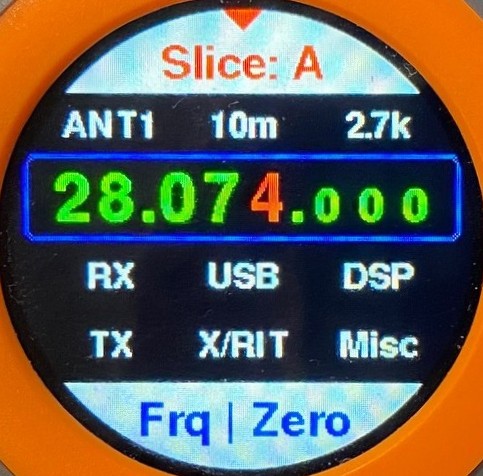
CTR2-Flex firmware is derived from CTR2-Micro firmware. It connects to your radio using WiFi so it’s usable anywhere on your LAN. It doesn’t support SmartLink so remote operation requires either a VPN or exposing port 4992 on your radio to the internet, which can be a security issue. There’s a discussion about remote operation on page 12 in the Micro’s operation manual.
You can download the latest CTR2-Flex/CTR2-Dial firmware here.
The CTR2-Flex user interface works a lot like the CTR2-Dial firmware’s interface. There are 30 Dial functions (adjustable parameters), 60 pushbuttons (for band, mode, and DSP/filter control, and 12 Knob functions that can be assigned to any of the Dial functions.


In addition to this user interface there is a Dashboard interface that gives you quick access to all of the control settings CTR2-Flex supports. Here’s just a few of the pages directly accessible from the Dashboard.


You can enter a frequency using the keypad, access a favorite frequency page with the last 10 frequencies you’ve visited, control the internal keyer, and select and edit 9 CW macros too. You can even adjust the panadapter settings and change the slice you’re working with.


YouTube Introduction
I’ve posted a video on YouTube that goes over all the functions in the CTR2-Flex firmware. You can view it below. The video references the CTR2-Dial and CTR2-Flex hardware. CTR2-Dial hardware is being depreciated and CTR2-Flex hardware has been rebranded to CTR2-Uno and CTR2-Duo.
CTR2-Flex firmware contains both CTR2-Flex and CTR2-Dial firmware. You can select either firmware in the Settings menu. CTR2-Dial firmware support Bluetooth and USB MIDI control for use with 3rd-party radio control apps like Marcus’ (DL8MRE) SmartSDR for iOS/MacOS, SDR-Control, FT-Control, TS-Control, and K4-Control. It also works with other apps for Windows such as Thetis and SDR-Console.
Let me know if you have any questions,
73, Lynn, KU7Q