
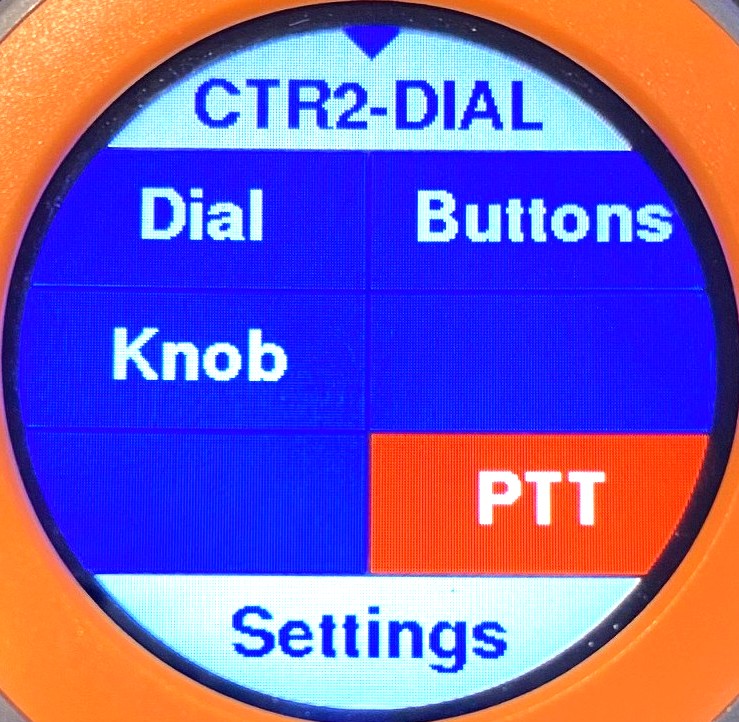
CTR2-Dial is an enhanced version of CTR2-MIDI with a color touchscreen display. It is designed to send MIDI commands to a 3rd-party radio control app, such as Marcus’ (DL8MRE) excellent Apple apps (SmartSDR, SDR-Control, FT-Control, TS-Control, or K4-Control) and Windows apps such as Thetis and SDR-Console (among others).
CTR2-Dial is part of the CTR2-Flex dual-boot firmware package that runs on CTR2-Uno, CTR2-Duo, and CTR2-Quad hardware.
You can download the latest CTR2-Flex/CTR2-Dial firmware here.
I’ve posted a video introducing CTR2-Dial firmware on YouTube.
The CTR2-Dial firmware runs on the M5Dial from M5Stack, a world-renowned provider of quality embedded control products. The code base from CTR2-MIDI has been extensively modified to support the Dial’s display and more controls have been added.
A Little History
CTR2-MIDI is a simple, compact, yet rugged MIDI controller designed with ham operators in mind. With a multi-function encoder and six dual-function pushbuttons it’s easy to remember what each control does. The physical knob and pushbuttons provide tactile feedback so you can “fly it blind”. Its small size and lack of a display means you don’t have to worry about throwing it into a day pack or your travel luggage. It supports an external paddle and brings true CW operation to remote operations. It’s also preconfigured and works with many radio control apps like Marcus’s (DL8MRE) excellent iOS/MacOS apps for Flex, Icom, Kenwood, and Yaesu radios. It’s also perfectly at home controlling Thetis for your ANAN and Hermes Lite rigs. It even works great with Remote Ham Radio.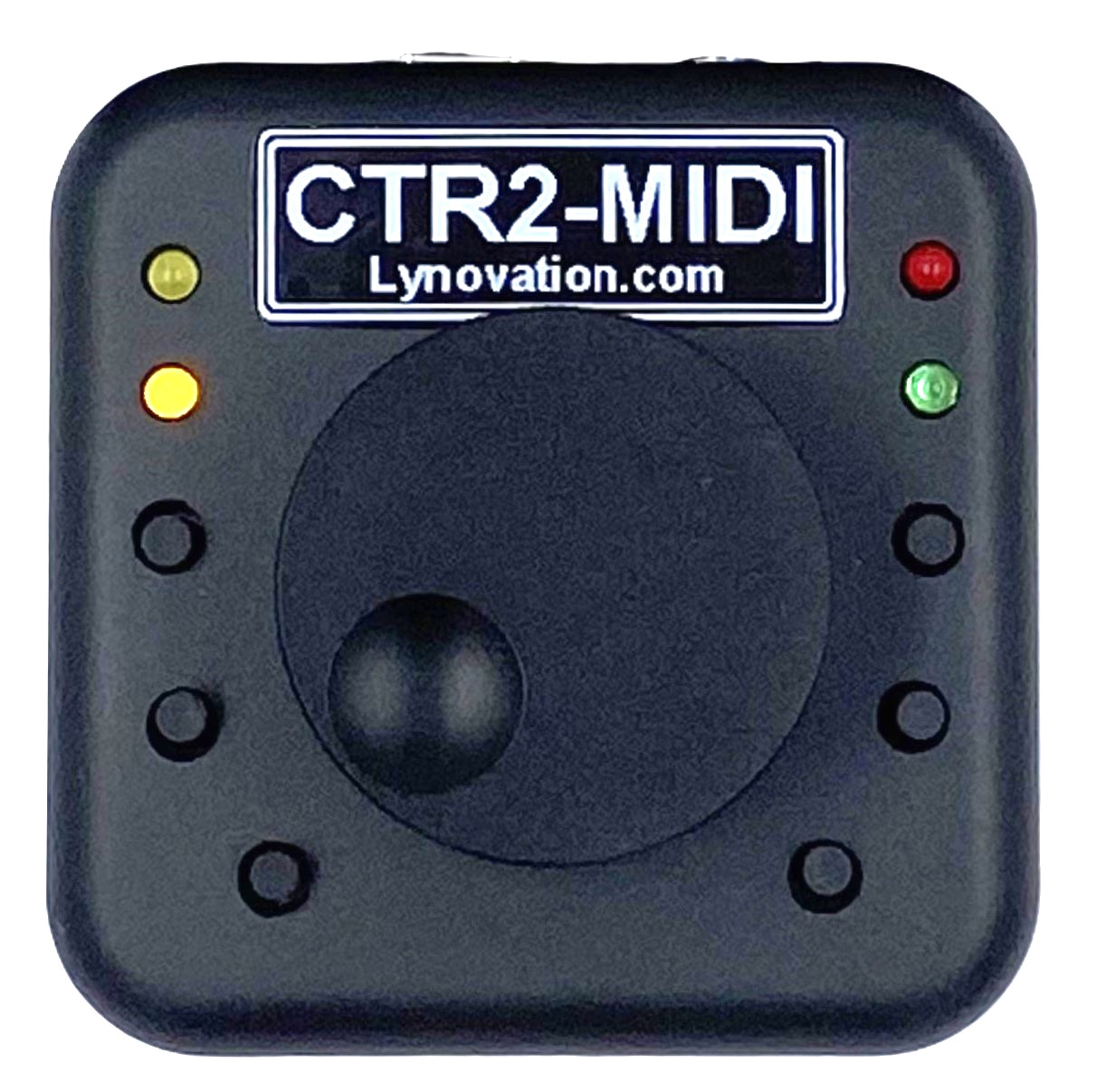
But with this simplicity comes some limitations. While it has 8 encoder functions, it’s up to you to remember which function is assigned to each encoder mode. Same with the six pushbuttons. Each button has a short and a long-press function and you need to remember which button does what. Due to the limited number of controls you may find yourself reaching for the touchscreen on you iPad of iPhone more often than you would like.
CTR2-MIDI with a Display
CTR2-Dial aims to overcome these limitations.
First, the CTR2-Dial has a color touchscreen and only one physical button. Buttons and encoder functions (called dials on the Dial) are virtual. This provides for more options than ever before. The Dial has 42 button functions (enough for dedicated band and mode buttons) and 18 dial functions.
CTR2-Dial firmware runs on CTR2-Uno, CTR2-Duo, or CTR2-Quad hardware, giving you the option of having one, two, or four physical knobs. These units support dual-function pushbuttons on each knob. CTR2-Quad includes two additional pushbuttons that can be used a PTT control. Each pushbutton can be assigned a short and long-press Button function.
NOTE: When running CTR2-Dial on older CTR2-Dial (depreciated) hardware, there are no knob pushbuttons available.
Every control function has a user defined label so there’s no guessing at what function a button or dial performs. The Dial’s small display (1.28″) becomes a control surface for your radio control app.


You can easily navigate between the dial, buttons, and knob menus with a finger swipe. Press the physical button on the orange ring to return to the Home page. Touching the label in the center of the Dial page opens the Dial menu. Turn one of the external encoders (called Knobs) to instantly change the parameter assigned to that control. Knob menu(s) on the Home pages allows you quickly choose which control(s) you want the knob(s) to operate.
Built for the CW and Voice Op
Like the CTR2-MIDI, all hardware, with the exception of the original CTR2-Dial hardware, supports an external paddle, key, and/or PTT switch input, so bring your paddles, remote operation is about to get fun again!
The Dial also supports a virtual PTT switch. Just touch the display to key your radio. You can even assign the virtual PTT switch to act as a straight key, although the latency through the system limits your code speed.
What CTR2-Dial Is Not
CTR2-Dial, like CTR2-MIDI, is strictly a MIDI controller. It is not a complete radio controller like CTR2-Micro or CTR2-Flex firmware. It must be used with a control app that supports MIDI control. It only sends MIDI commands to the radio control app it is connected to. It does not receive status information back from the app or radio. Therefore, the value displayed for each parameter represent the last value sent to the app. If you change a parameter on the app, that change will not be updated in CTR2-Dial.
The advantage of using MIDI control it that CTR2-Dial is compatible with a wide range of radios. It is only limited the the radio control apps that support MIDI control.
You can run CTR2-Flex firmware on any CTR2 controller based on the M5Dial. This firmware allows you to connect directly to your Flex radio over WiFi using the Flex API. It is a complete radio controller and includes a dashboard for controlling your radio.
Does it work with SmartSDR Windows?
Not directly. Like the CTR2-MIDI, CTR2-Dial firmware is optimized for use with Marcus’ (DL8MRE) iOS/MacOS apps, but these are not the only apps it works with. It works this many other Windows, iOS/MacOS, and Linux radio control apps that support MIDI control, like Remote Ham Radio, Thetis, SparkSDR, and SDR-Console, to name a few.
To use CTR2-Dial or CTR2-MIDI with apps that don’t support MIDI control, like SmartSDR for Windows, you must run a MIDI translator app like CoyoteMIDI. This middleman app translates the MIDI commands from the Dial or MIDI to mouse scroll actions or keystrokes to provide limited control for just about any app. For example, using CoyoteMIDI the Dial or MIDI can control the frequency on SmartSDR for Windows, WebSDR, and wfView. It can even be used as a jog wheel on Audacity.
But I Already Own a CTR2-MIDI
That’s wonderful and I appreciate your support!
If you’re running Marcus’ iOS/MacOS apps you can connect CTR2-Dial and CTR2-MIDI to the app at the same time. Just connect CTR2-MIDI using Bluetooth to the CTR2 Controller object in the app’s Tools menu. Connect CTR2-Dial using USB to the CTR2 Dial Controller object in the Tools menu. To use USB MIDI, select the XIAO_ESP32S3 device if connecting to a CTR2-MIDI, or the STAMP_S3 device if connecting to CTR2-Dial. Next, touch the Enabled button to connect.
You can also run two or more CTR2-MIDI and CTR2-Dial units in Thetis using USB connections.
Need even more options? You can run as many CTR2-Flex units as you want connected directly to the radio’s server. The server keeps them all updated. Since the CTR2-Flex controller connects directly to the radio it works with all versions of SmartSDR for Windows, iOS, or Mac.
Which One is Right for Me?
By now, you might be wondering exactly that. The answer, as always is, “that depends”.
If you want something simple that just works, is small, rugged, doesn’t use a lot of battery power, CTR2-MIDI is the best choice for you.
On the other hand, if you’re looking for a full-featured MIDI controller with a color touchscreen display and a lot of capability and you don’t care too much about current consumption (the Dial draws up to 100 milliamps more than CTR2-MIDI depending on its settings) then CTR2-Dial is what you’re looking for. Heck, with user programmable control labels, the Dial can even be used with MIDI enabled musical instruments and controllers.
If you’re looking for a controller that work with SmartSDR for Windows, consider running CTR2-Flex firmware.
Dual-Boot
If you’re a Flex radio user you’ll appreciate that the latest firmware that ships with CTR2-Uno, CTR2-DUO, and CTR2-Quad hardware provide a dual-boot option that allows you to boot into either CTR2-Flex or CTR2-Dial firmware without needing to reflash the firmware. This gives you the ability to run CTR2-Flex with its advanced dashboard features at home and switch to CTR2-Dial to use with SmartSDR for iOS/MacOS and SmartLink when you’re traveling.
In Conclusion
I want to give a special thanks to everyone that has supported my projects over the years. The current CTR2 product options are a direct result of that support. Your support and encouragement along the way has given me even more reason to continue pushing my own limits of user interface and product development. I could just create these projects for my own use, but building them and sharing them with others that truly appreciate my work is the most rewarding part of this endeavor.
73, Lynn, KU7Q