
October 19, 2026: Important CTR2-Max update
A recent change in FCC rules has prompted the redesign of the CTR2-Max firmware that includes removing Bluetooth and WiFi modes. In addition, AetherSDR has included CTR2 Relay that supports a USB connection between CTR2-Max and AetherSDR and your Flex radio. AetherSDR has also provided a free app called AetherCTR2 that works seamlessly with AetherSDR. AetherCTR2 has a slick new user interface and provides additional features that are not included in CTR2-Max firmware. and eliminates the need to connect to your radio using WiFi. More details about this change can be found here.
New YouTube Video
I just published a YouTube video on CTR2-Max. You can view it below.
You can skip ahead to the sections that interest you the most. The timeline is:
- 3:50: Dial page
- 5:45: Buttons page
- 7:05: Controls page
- 10:35: Dashboard page (works only with AetherSDR CTR2 Relay now)
- 12:40: Mini-panadapter
- 14:40: PTT page
- 16:40: Settings page
CTR2-Max v2.00.00 brings some major changes to Max due to FCC enforcement of non-certified RF emitters. All of my other CTR2 controllers use FCC certified devices, but I’ve been unable to verify the 2.8″ display/ESP32-S3 that I used in CTR2-Max is certified, so WiFi and Bluetooth had to be removed.
About the same time, Jeremy, KK7GWY, the lead developer of AetherSDR, added a new mode to the app to support a USB connection from Max to the Flex radio being controlled by AetherSDR. The new mode is called CTR2 Relay. In addition, the AetherSDR developers created new firmware for Max called AetherCTR2. This firmware replaces the stock firmware in Max. You can learn more about these developments in the video below.
CTR2-Max is the newest radio controller in a long line of controllers from Lynovation.
For an in-depth look at Max, checkout its operation manuals here.
Larger Display and More Controls
All “Max” units are equipped with a 2.8″ color capacitive-touch display, compared to the 1.28″ display on the M5Dial based CTR2 controllers. That translates into larger text and more space for buttons and options.
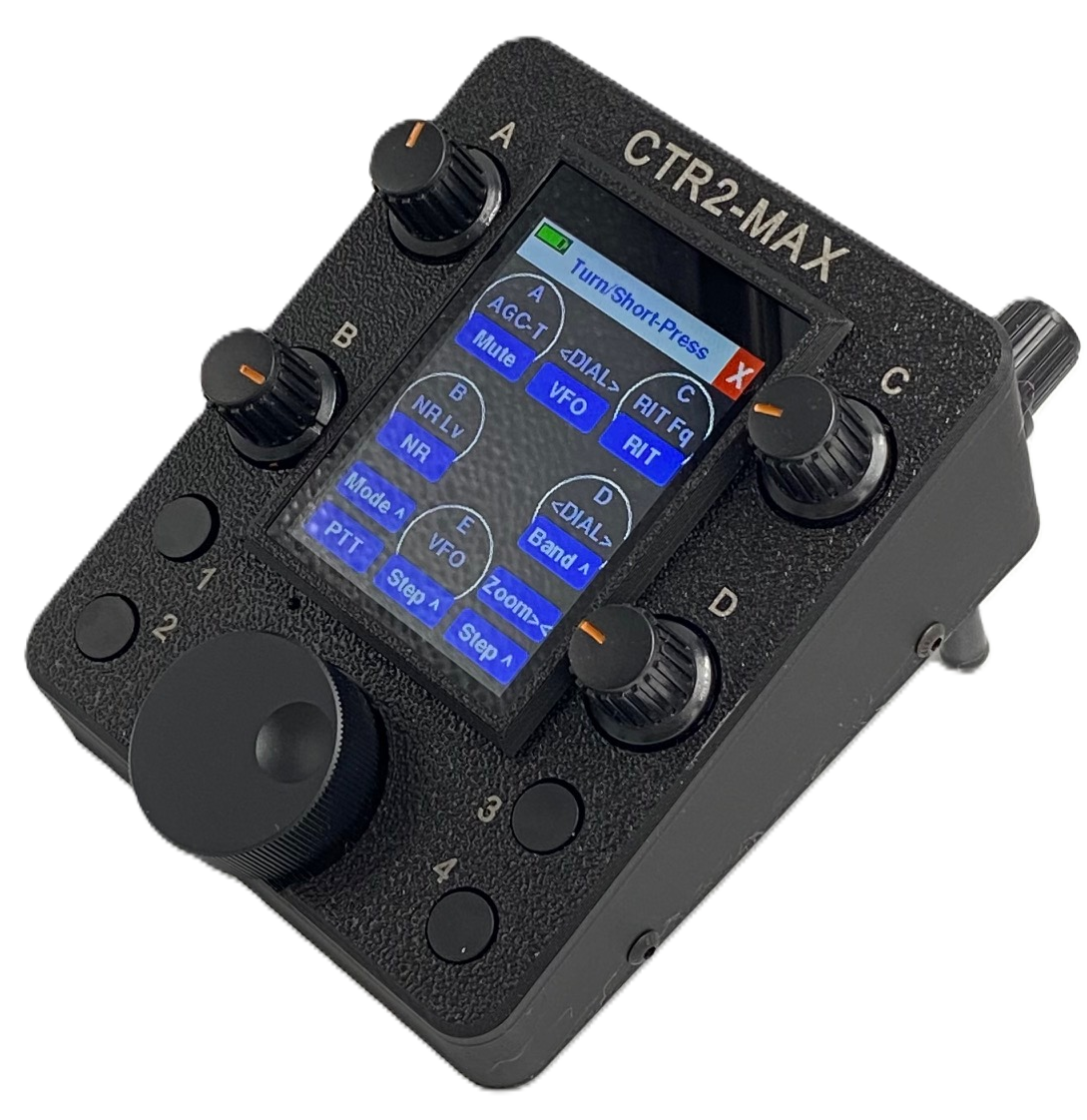
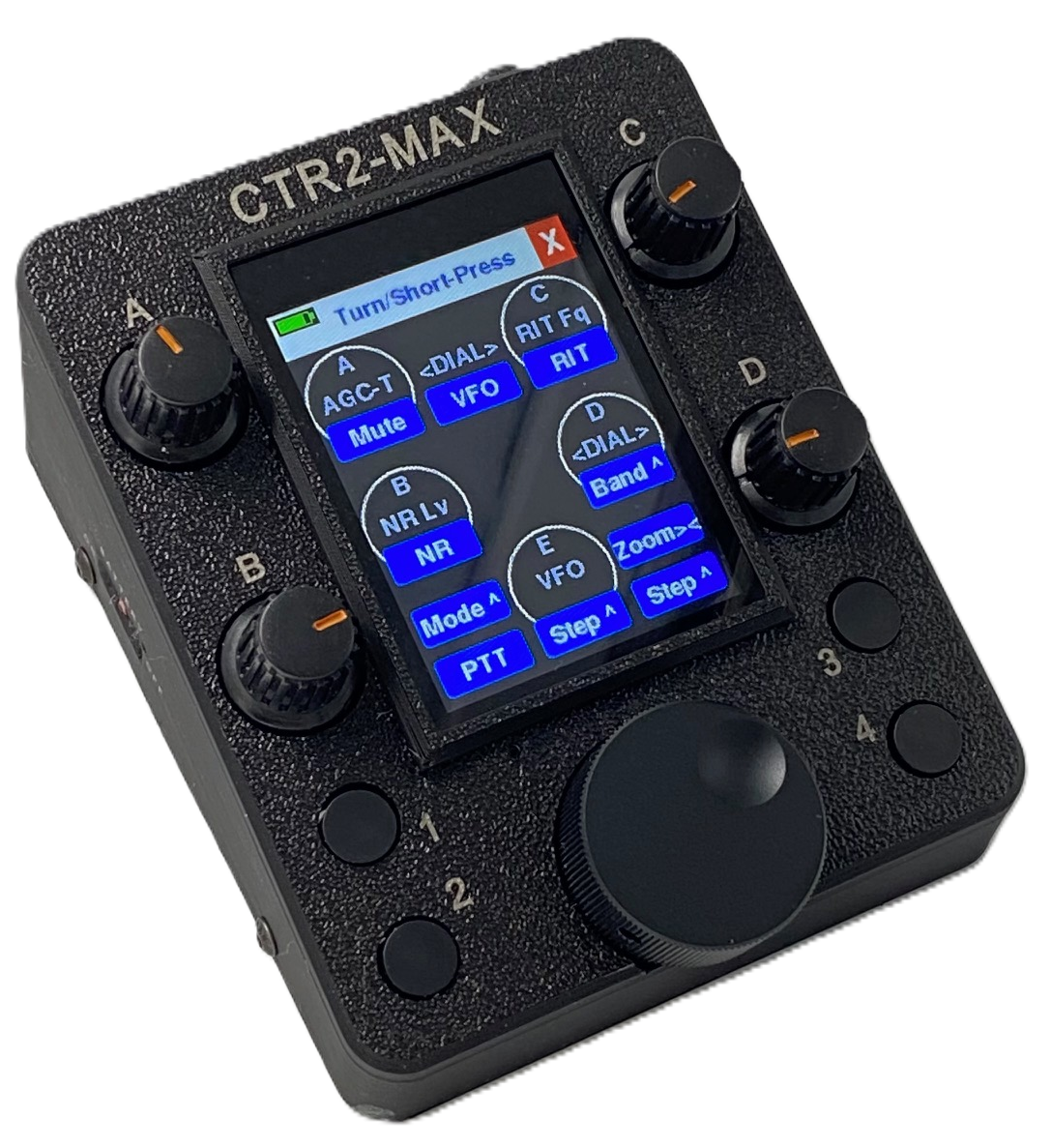
CTR2-Max, the 5-knob unit with four pushbuttons, is currently available in my shop.
Knobs can be assigned to any of the supported variable controls (VFO, volume, RIT, XIT, etc.) All knobs have a push switch that can be used in “push-and-turn” mode to select a secondary knob function, and “push-and-release” mode to execute one of 60 virtual buttons.
Pushbuttons have short-press and long-press actions, each of which can be assigned to any of the 60 virtual buttons. They can also be assigned as a dedicated PTT switch.
The Controls menu visually displays the function of each knob and switch. Functions can be easily changed by just touching a control and turning a knob.
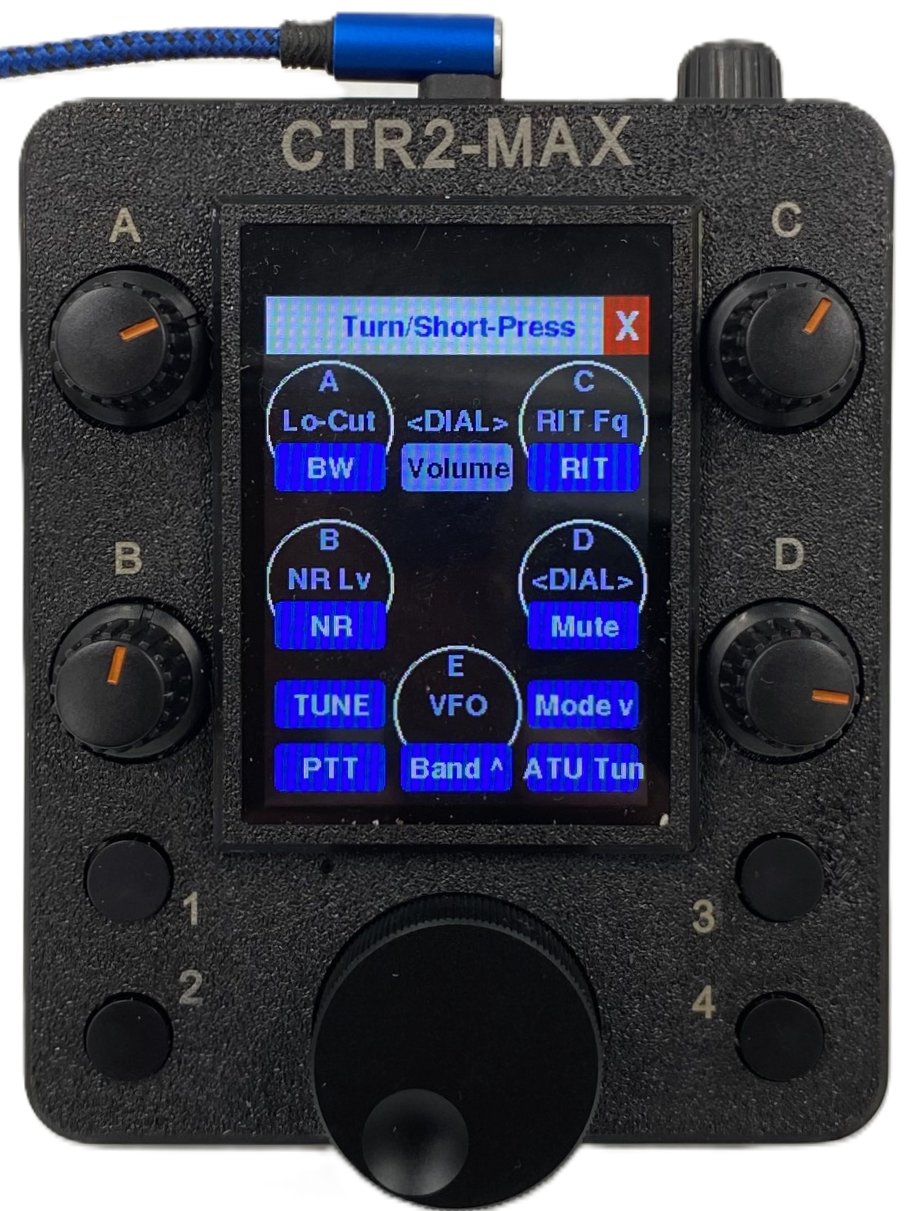
Like my other CTR2 controllers, all Max units support paddles and straight-keys for sending “real” CW, and support external PTT switches. When running in Flex mode and connected to AetherSDR’s CTR2 Relay over USB, Max provides the keyer and sidetone required to key your Flex radio over the network.
Real Sidetone
Unlike my other CTR2 controllers, Max uses a sinusoidal oscillator with a 1.2 watt amplifier for sidetone when used in Flex control mode with AetherSDR’s USB CTR2 Relay. When operating in MIDI mode, the radio control app Max is connected to provides the keyer and the sidetone.
An optional transformer-isolated Sidetone Audio Interface Board for Max-5 allows you to connect the sidetone from Max-5 to your headphones, powered speaker, mixer, or your PC’s sound card. DIP switches allow you to choose left, right, or both ears, and disconnect the Line-Out or internal speaker..
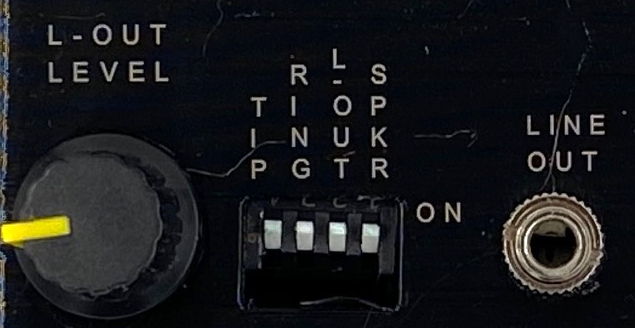
NOTE: Even though Max has an internal speaker, it does not support Rx (DAX) audio from any radio.
Internal Battery Option
Unfortunately, with the removal of Bluetooth and WiFi operating modes, even though CTR2-Max was designed to use a battery, there isn’t a lot of need for it now, since CTR2-Max must be connected to your computer with a USB cable in order for it to communicate with any control app. It does help when Max is connected to a laptop, iPhone, or iPad that is running on battery since Max won’t draw power from the other device if it has it’s own battery.
Firmware
The firmware in Max is based on the CTR2-Flex/CTR2-Dial firmware that runs on CTR2-Quad. Unlike my other controllers, it does not support Bluetooth MIDI or direct Flex WiFi control, as explained in this post.
It does support USB MIDI control, so it work with any app that supports MIDI control, such as SmartSDR/SDR-Control/FT-Control/TS-Control/K4-Control for iOS/MacOS, AetherSDR, RimuSDR, SDR-Console, Remote Ham Radio, OnlineRemoteRadio, and RemoteTx. It connects to the app using USB MIDI, and in some cases (RemoteTx and OnlineRemoteRadio) it uses USB HID. I have pre-configured maps and spreadsheets for these control apps here.
The displays are similar, albeit larger, to those on my M5Dial based products (CTR2-Quad, CTR2-Duo, and CTR2-Uno)
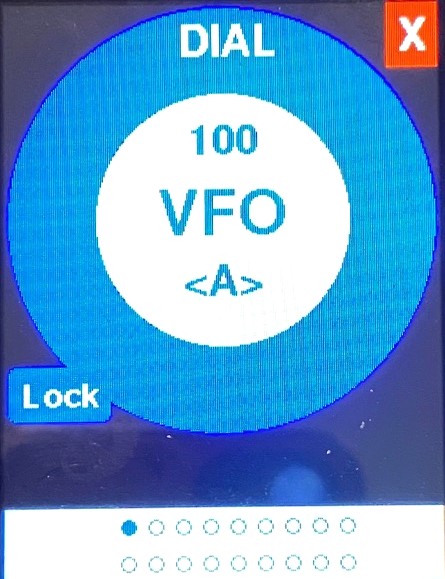
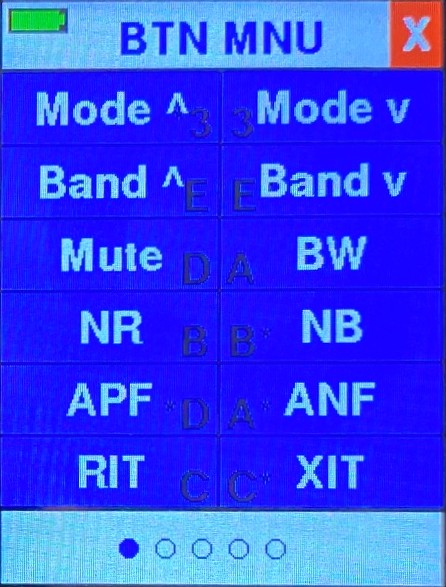
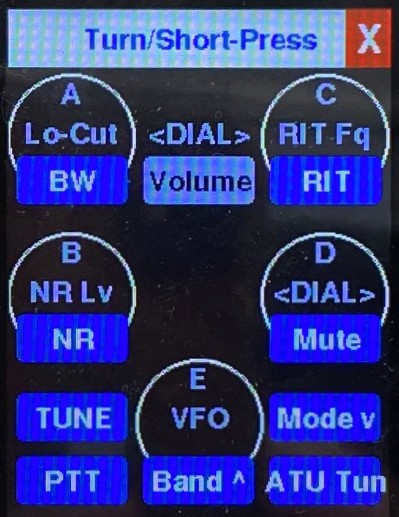
In Flex mode, CTR2-Max no longer connects directly to your Flex 6000, 8000, or Aurora radio using WiFi. Instead, it relies on a new mode added to AetherSDR v26.10.3 called CTR2 Relay that relays the USB connection from Max through AetherSDR to your radio. It works exactly like the Flex WiFi mode does on the other CTR2 controller, except it uses USB instead of WiFi to carry the API traffic to and from the radio. Unlike MIDI mode, Flex mode is bi-directional so it can display the parameters from your radio in real-time and supports the Dashboard display. It works in parallel with AetherSDR and the radio it’s controlling.
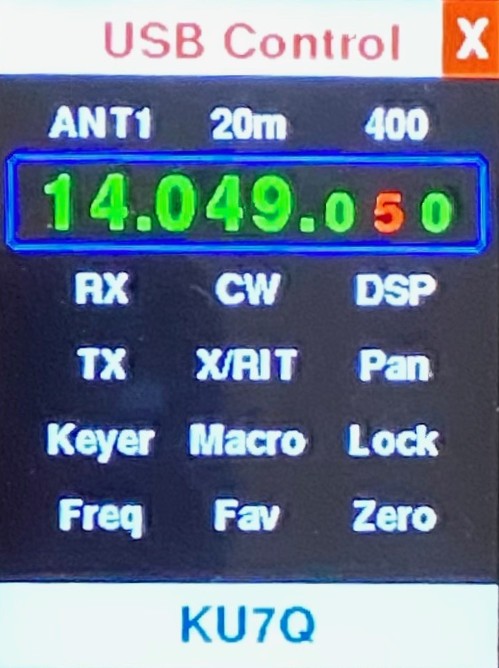
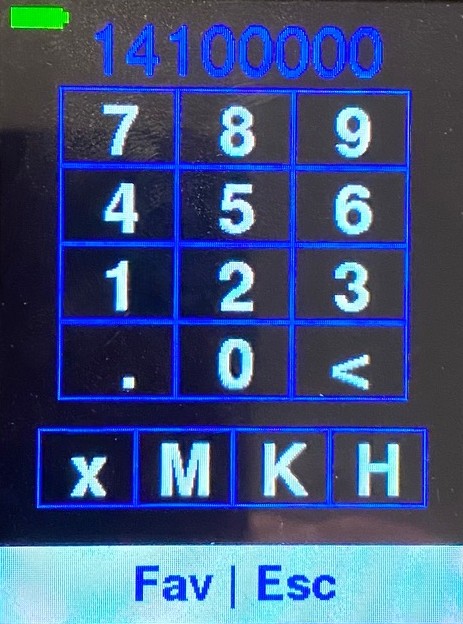
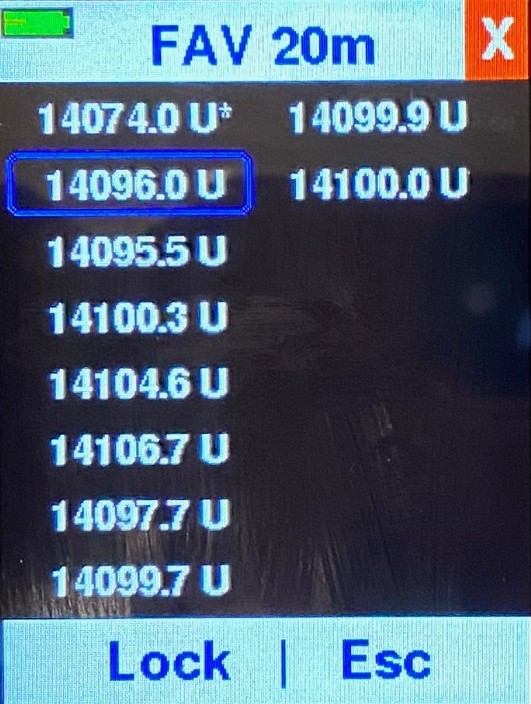
In addition to the Dial, Button, and Control, Flex mode supports a Dashboard, Direct Frequency Entry, and Favorite Frequencies displays (shown above).
The large keypad makes direct frequency entry a breeze.
The Favorite Frequency list automatically tracks your last 16 frequencies for instant recall. You can lock frequencies you frequent. Favorite frequencies can be tracked on a per-band basis, or globally.
You can access CTR2 Relay from the Settings -> Controllers -> CTR2… menu in AetherSDR. Just click the Start button to start the USB connection to CTR2-Max when it’s in Flex mode. The screenshot below shows it in active mode. Click the Stop button to disconnect it.
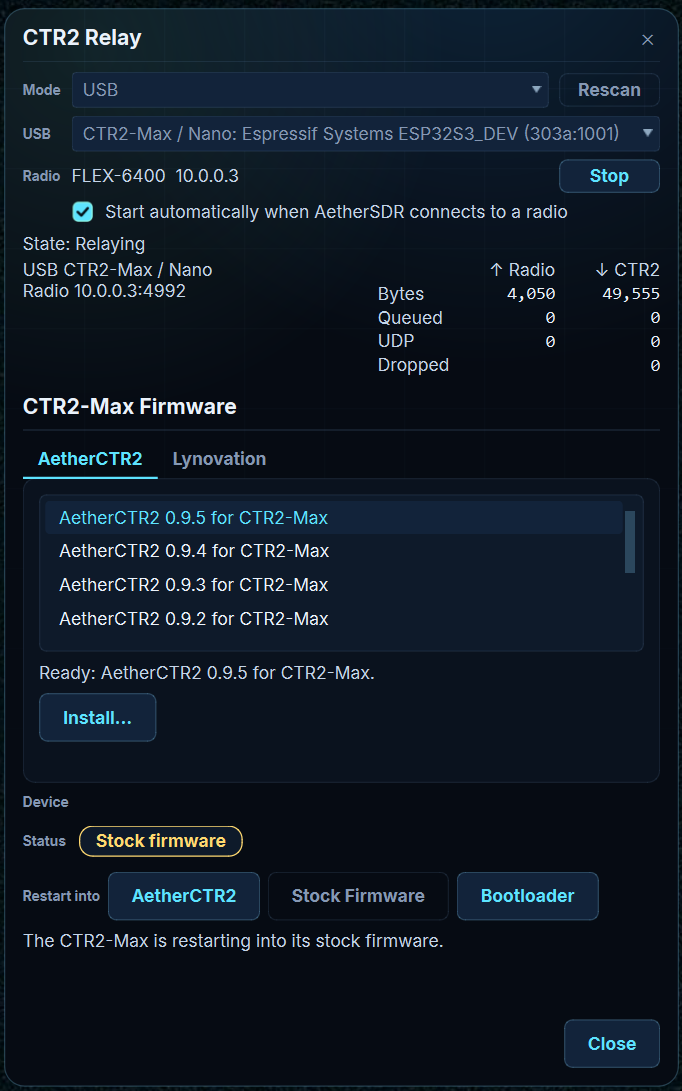
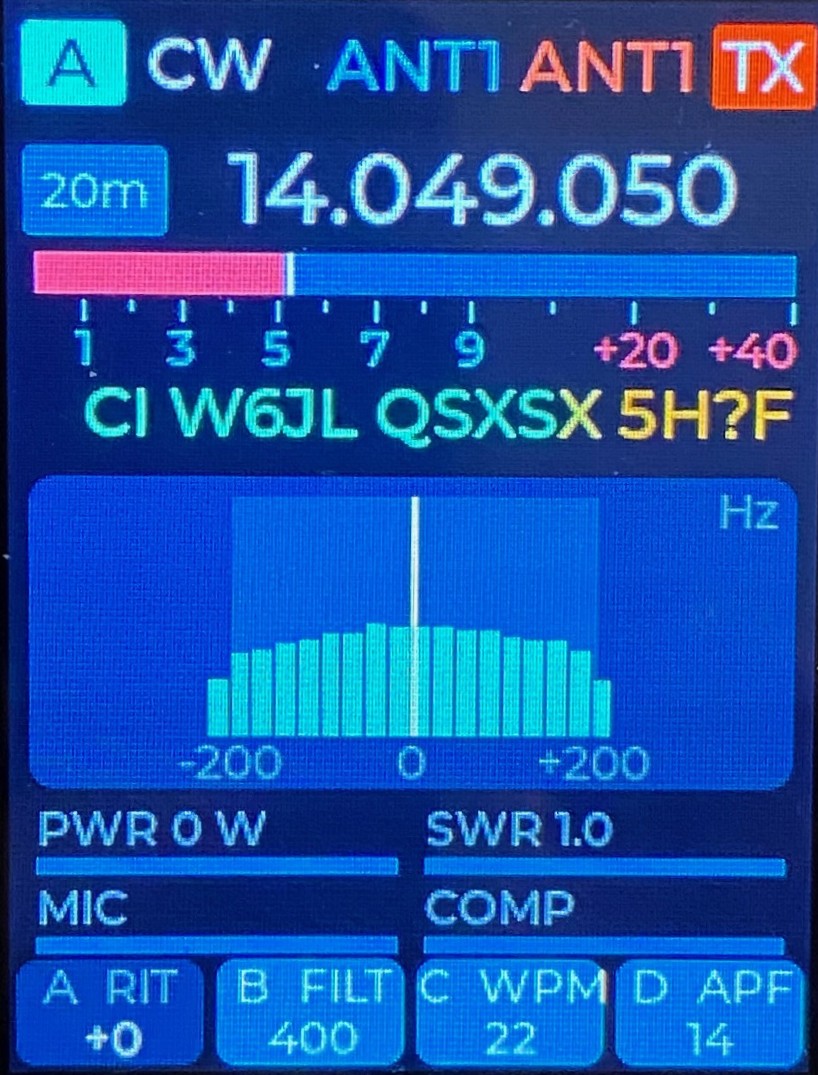
In addition to CTR2 Relay, AetherSDR provides access to an entirely new control program designed to run on CTR2-Max firmware. It’s called AetherCTR2 and can be installed from the CTR2 Relay window.
This app was created by Jeremy, KK7GWY, lead developer of AetherSDR, as is a gift to Lynovation and the ham radio community. It has a clean, modern user interface and is supported by the AetherSDR developers. This means that as new features are added to AetherSDR they can quickly be added to AetherCTR2 as needed.
 \
\
Once installed on your CTR2-Max you can easily switch between the stock CTR2-Max firmware and AetherCTR2 with a simple button click. Additional information can be found in the CTR2-Max Flex Mode Manual, and in the YouTube video above.
73, Lynn, KU7Q